 Reef Lab

Parameters & charts
KH, calcium, magnesium, nitrate, phosphate, pH and salinity — with charts from one month to all time, min/average/max and a traffic-light rating. Salifert users enter the syringe reading and the app converts it.
Saltwater aquarium logbook
Reef Lab is a logbook app built for reef tanks — not a freshwater app with a saltwater mode bolted on. Log water parameters by voice, track dosing and care, keep the real cost of the tank in view, and ask an AI that knows your system.

Logging by voice, the readings, the dosing, what the tank costs, and the AI on top.
Nothing is loaded from YouTube until you press play.
Six screens from daily life at the tank — from the dashboard to the total cost in the inventory.
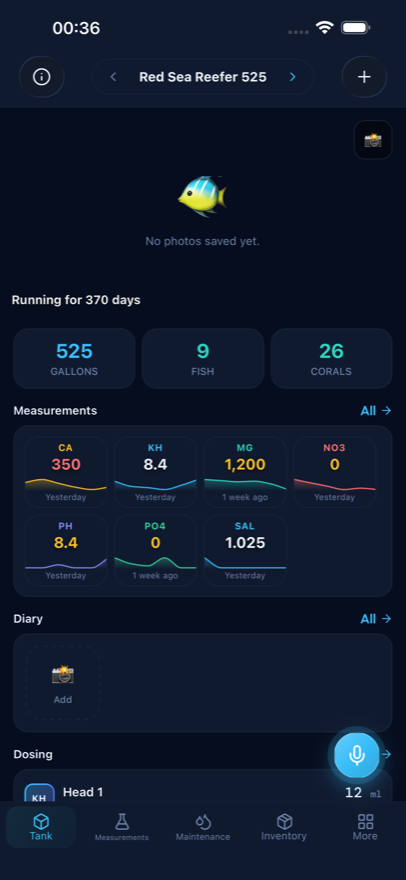
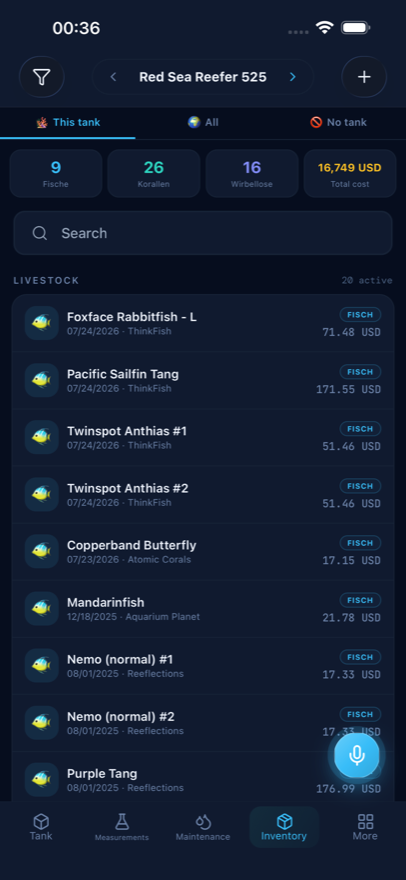
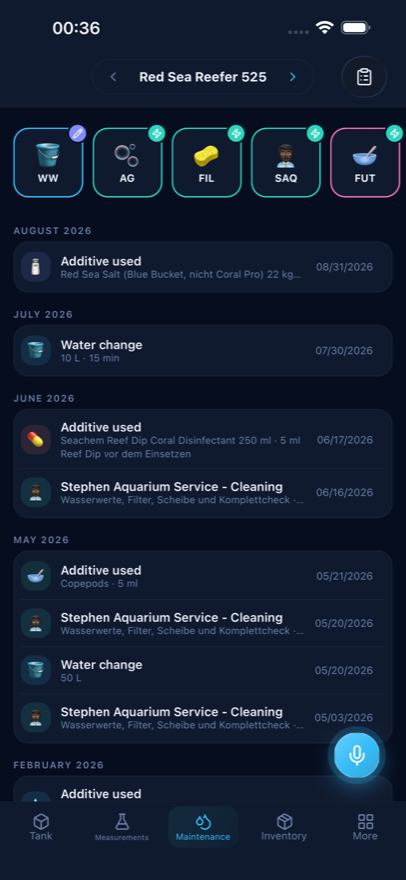
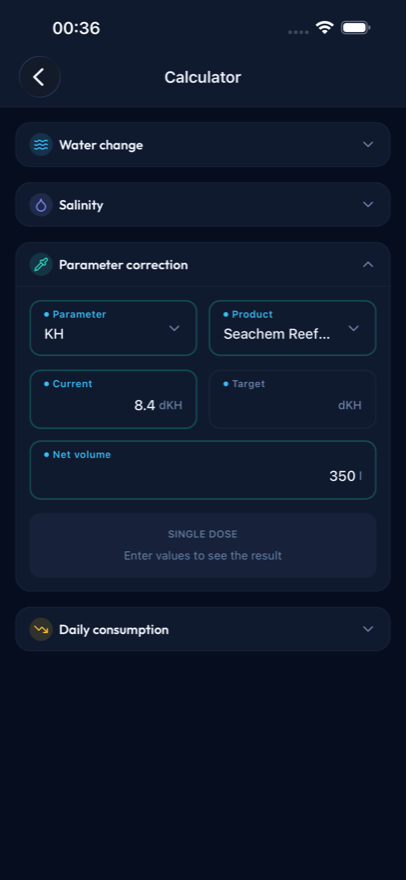
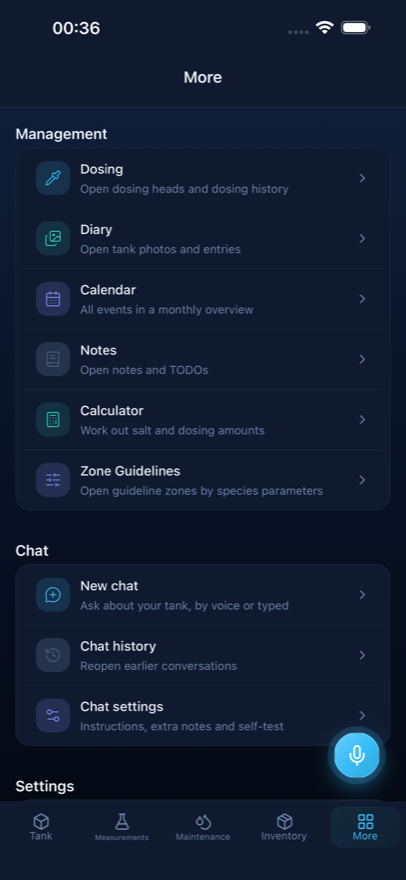
Tank dashboard — volume, days running, fish, corals and every parameter with its trend line on one screen.
Wet hands, the test kit still on the lid: that is exactly when nobody wants to type. Tap the microphone, say the sentence, done. Reef Lab works out whether it was a reading, a dosing change or care work, and files it where it belongs.
When something stays unclear — which pump head, which parameter, which amount — the app asks instead of guessing. A wrong entry is worse than a question, because it lands silently in your data. And every entry can be undone right away.
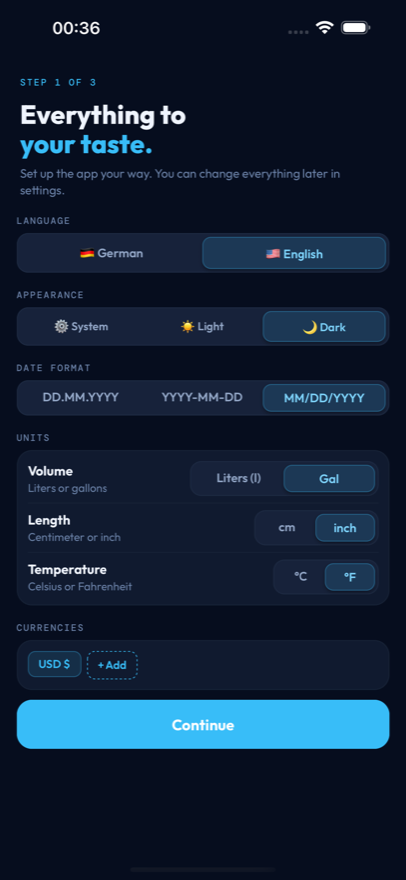
Voice input and AI answers currently work in German; the app interface is available in English and German.
Not a general chatbot: volume, latest readings, livestock, dosing and equipment go along as context.
Free to use, including five AI requests a day — chat, voice and receipt scan share that budget. Everything else in the app is unlimited.
From the first softie tank to an SPS system: everything that happens at the tank in one place.
KH, calcium, magnesium, nitrate, phosphate, pH and salinity — with charts from one month to all time, min/average/max and a traffic-light rating. Salifert users enter the syringe reading and the app converts it.
Pump heads with product, element and daily amount. Pause, resume, dose by hand, change the rate — every change stays in the history, so you can see how the values answered.
Water changes, cleaning, equipment service, filter media, products used and observations. Recurring jobs run from templates — one tap instead of a form.
Fish, corals, inverts, equipment, salt, food and test kits with price, shop, date and currency. Filter by category, tank, shop and status — the total above the list follows along.
Photo diary per coral or animal, a monthly calendar of everything that happened, plus notes and to-dos for what is still ahead.
Salt mix, salinity, parameter correction and daily consumption. The result can go straight to the dosing pump as the new daily amount.
Every reading is rated against these ranges — green, amber, red. No looking it up in a forum, no mental arithmetic: you see immediately whether a value fits.
The ranges are guidance for a mixed reef tank. A pure SPS system runs tighter, a softie tank forgives more. What matters more than a single value is stability: the chart shows whether a value is drifting, and the dosing history shows what you changed and when.
| Parameter | Optimal | Marginal | Critical |
|---|---|---|---|
| Alkalinity (KH) | 7.5–8.5 dKH | 7–9 | < 6 / > 10 |
| pH | 8.0–8.2 | 7.9–8.3 | < 7.7 / > 8.5 |
| Calcium | 420–440 mg/l | 400–450 | < 380 / > 480 |
| Magnesium | 1300–1350 mg/l | 1250–1400 | < 1200 / > 1500 |
| Nitrate | 5–10 mg/l | 2–15 | > 25 |
| Phosphate | 0.05–0.08 mg/l | 0.03–0.1 | > 0.2 |
| Salinity | 1.024–1.026 sg | 1.023–1.027 | < 1.021 / > 1.029 |
The calculators from the app also run right here in the browser — use them without installing anything, and keep the results in the app if you want them saved.
Specific gravity to ppt and back, corrected for sample temperature and your device's calibration.
How much salt for the batch you are mixing — and how to move a running tank's salinity safely.
Reach your alkalinity, calcium or magnesium target, split across as many days as it takes.
Two readings a few days apart become the daily dose your dosing pump should run.
Every target range in one table, with what moves each value when it drifts.
The overview — everything above in one place, free and without an account.
Reef Lab saves to your device first. Create tanks, log values, keep inventory — all without an account and without internet. You only sign in if you want backup and sync across devices.
After that your tank history writes itself.
Name, type, gross and net volume, start date — so the calculators and dosing work with your numbers.
Readings, dosing, care, water changes, purchases — typed, spoken or read off a photographed receipt.
Charts, calendar, diary, total cost — and an AI report on the state of the tank whenever you want one.
What reefers want to know before the first entry.
Reef Lab only knows saltwater. There is no freshwater mode, no generic fish profiles and no compromise in the target ranges. Dosing heads, Salifert titration, alkalinity consumption, mixed reef versus SPS — those are the cases the app is built for.
Yes. The app saves to your device first. Creating tanks, logging readings, recording care and keeping inventory all work without internet and without an account. Only voice input, AI chat, the tank report and the receipt scan need a connection, because a model answers those.
Alkalinity (KH), calcium, magnesium, nitrate, phosphate, pH and salinity — each with a chart, min/average/max and a traffic-light rating against optimal, marginal and critical ranges. If you use Salifert test kits, you enter the syringe reading in millilitres and the app converts it into the parameter value.
Tap the microphone and talk. Sentences like "KH is 8.2", "dosed 5 ml of NoPox extra today" or "changed 40 litres of water" land as a reading, a dosing change or a care entry in the right place. When something stays unclear the app asks instead of guessing, and every entry can be undone right away. Voice input currently understands German.
The app is free to use and includes five AI requests a day — chat, voice input and receipt scan share that budget. Everything else, meaning readings, dosing, care, inventory, diary, calendar and calculators, is unlimited.
Yes. Every inventory entry carries price, shop, date and currency. The total sits above the list, converted into your display currency. Filter down to corals, one shop or one tank and the total follows the filter.
Yes. Display tank, frag tank and quarantine run side by side, each with its own readings, dosing and inventory. In the inventory you can switch between one tank, all tanks and items that belong to no tank.
No. The chat and the tank report work with the data in your app and phrase recommendations carefully on purpose. They do not replace professional or veterinary advice — when in doubt, your local store, your vet or a lab analysis has the last word.
Questions, feedback, or App Store / Play Store support — we reply by email.
Send a message with the form. Prefer mail? Write to us at the address below — typed for humans, not scrapers.
Name, email, and your message — that's all we need.
Reef Lab does not replace professional or veterinary advice. It helps you document your reef tank and keep it under control.